




iPhone · iPad · Mac

Small apps that respect your data.

I build focused, privacy-respecting apps and native Mac tools. From podcast queues and movement logs to MP3 tags, Git history, databases, and icon workflows, everything stays local-first, clear, and lightweight.

Featured Apps

Apps that solve one real problem well

Podcasts, collections, movement, and media files all stay understandable and under your control — without accounts, ads, or mystery sync layers.

Up Next icon
Up Next Podcast Client · iPhone & iPad · Free

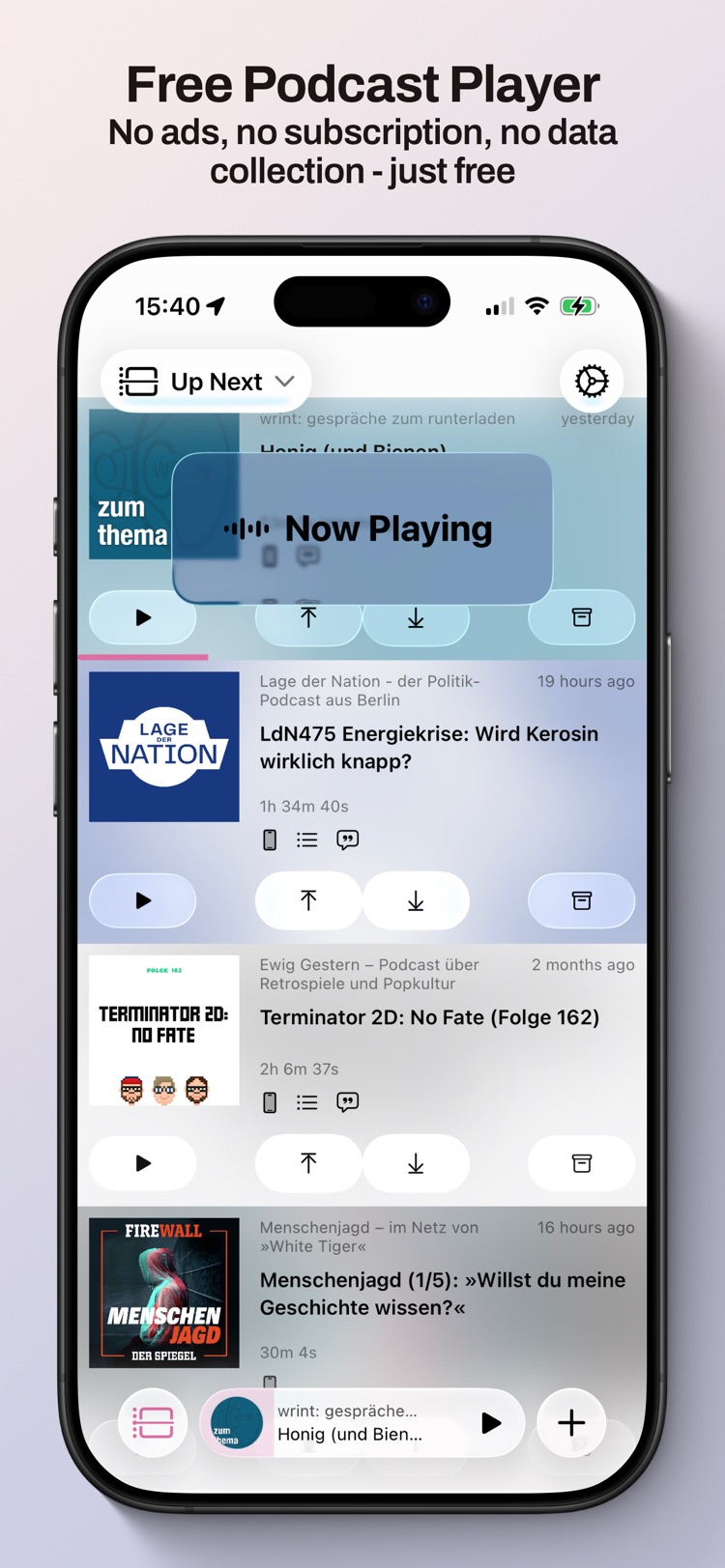
A modern, open-source podcast player that keeps podcasting free, open, and independent.

  • Local-first & private. No account, no tracking, no central server — everything happens on your device.
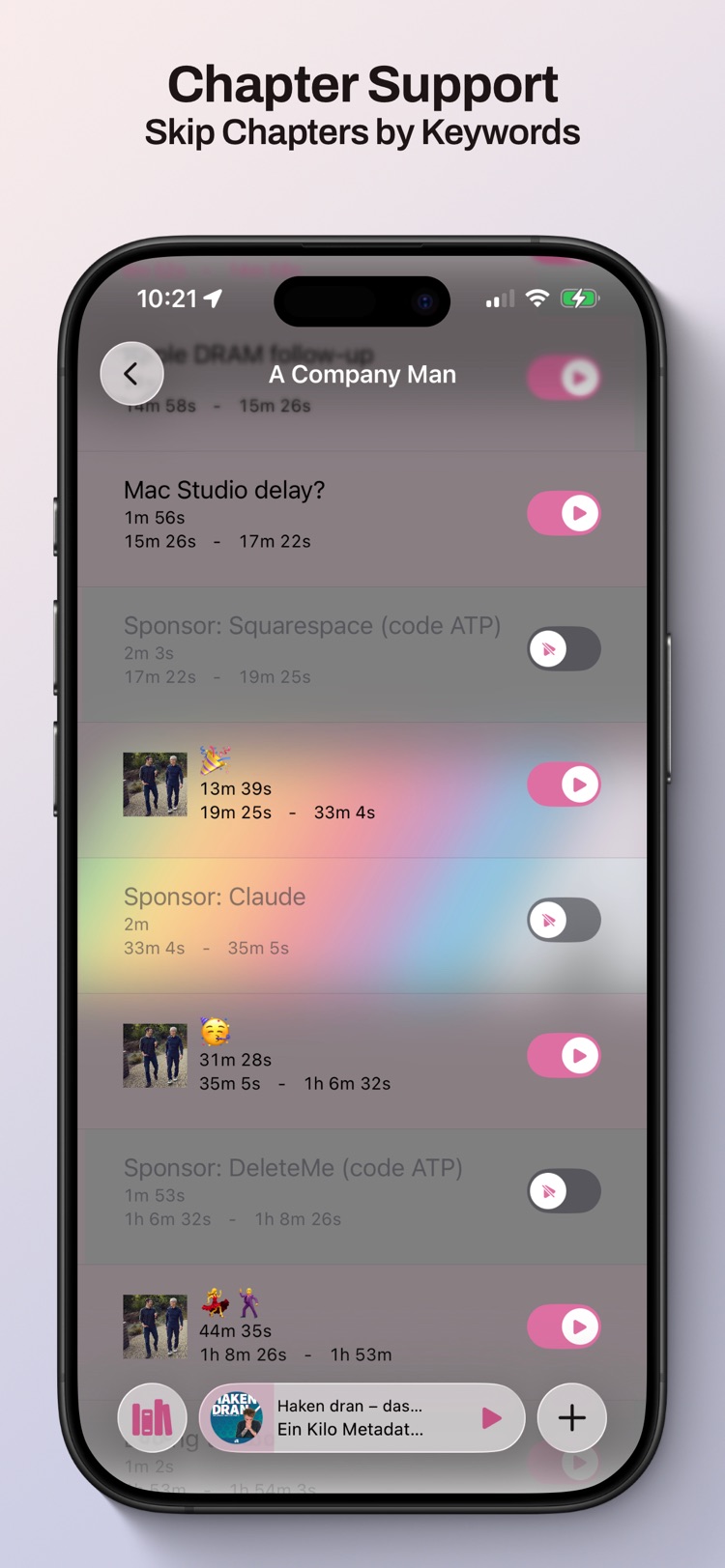
  • Smart chapter skipping with keyword rules you can customize per podcast.
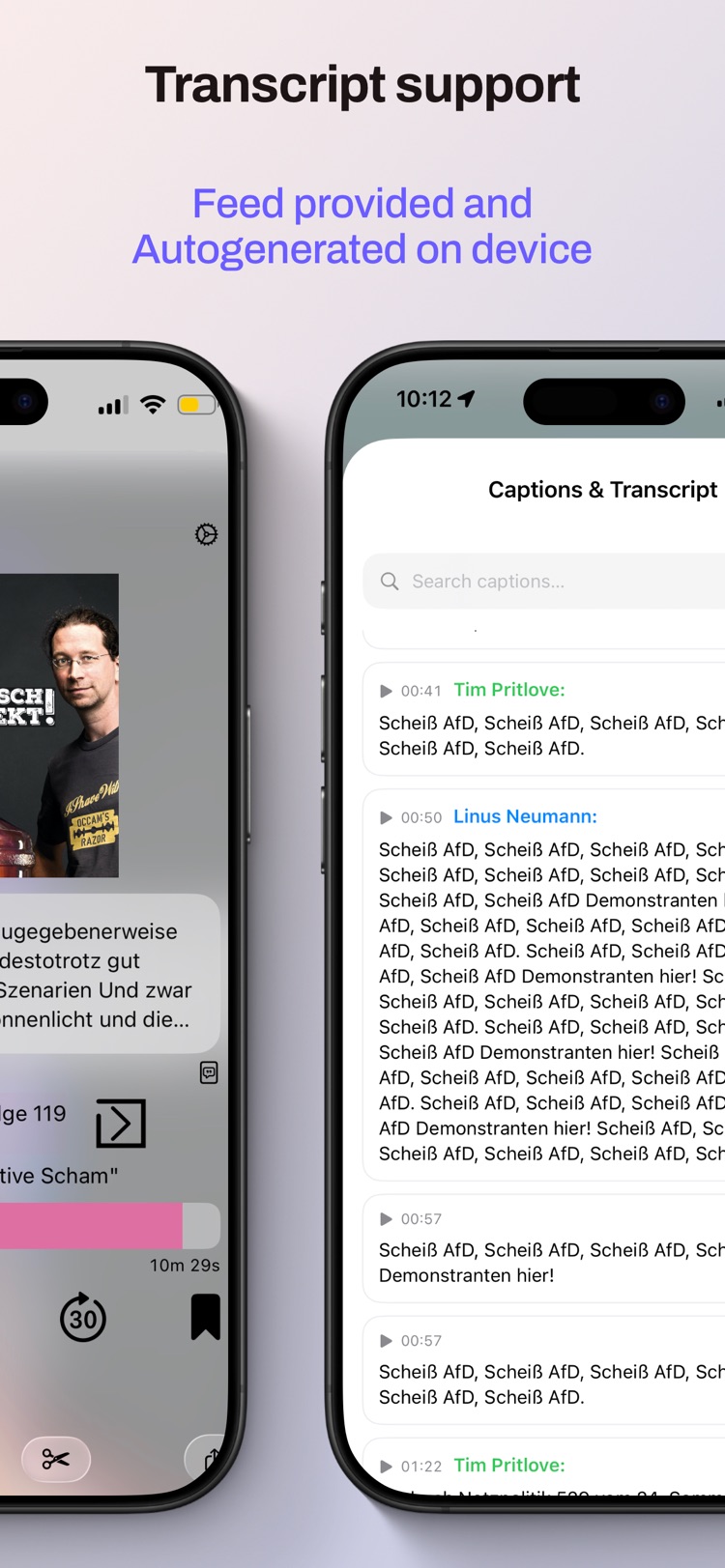
  • On-device transcripts — read along, generated locally with no cloud upload.
  • Powerful queue, bookmarks, sleep timer, and variable playback speed.
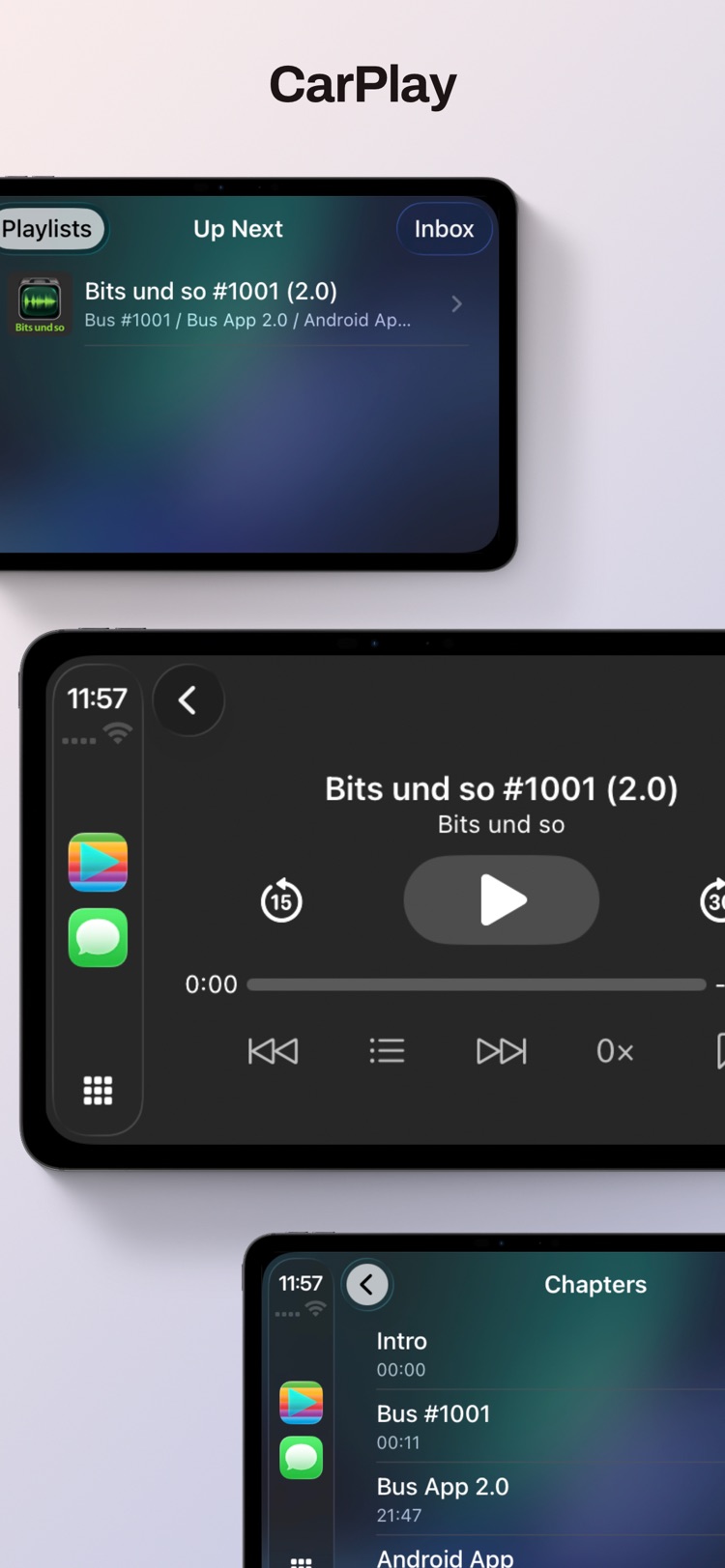
  • CarPlay & Siri bookmarks, offline downloads, and OPML import to migrate in seconds.
Up Next player
Up Next chapters
Up Next transcripts
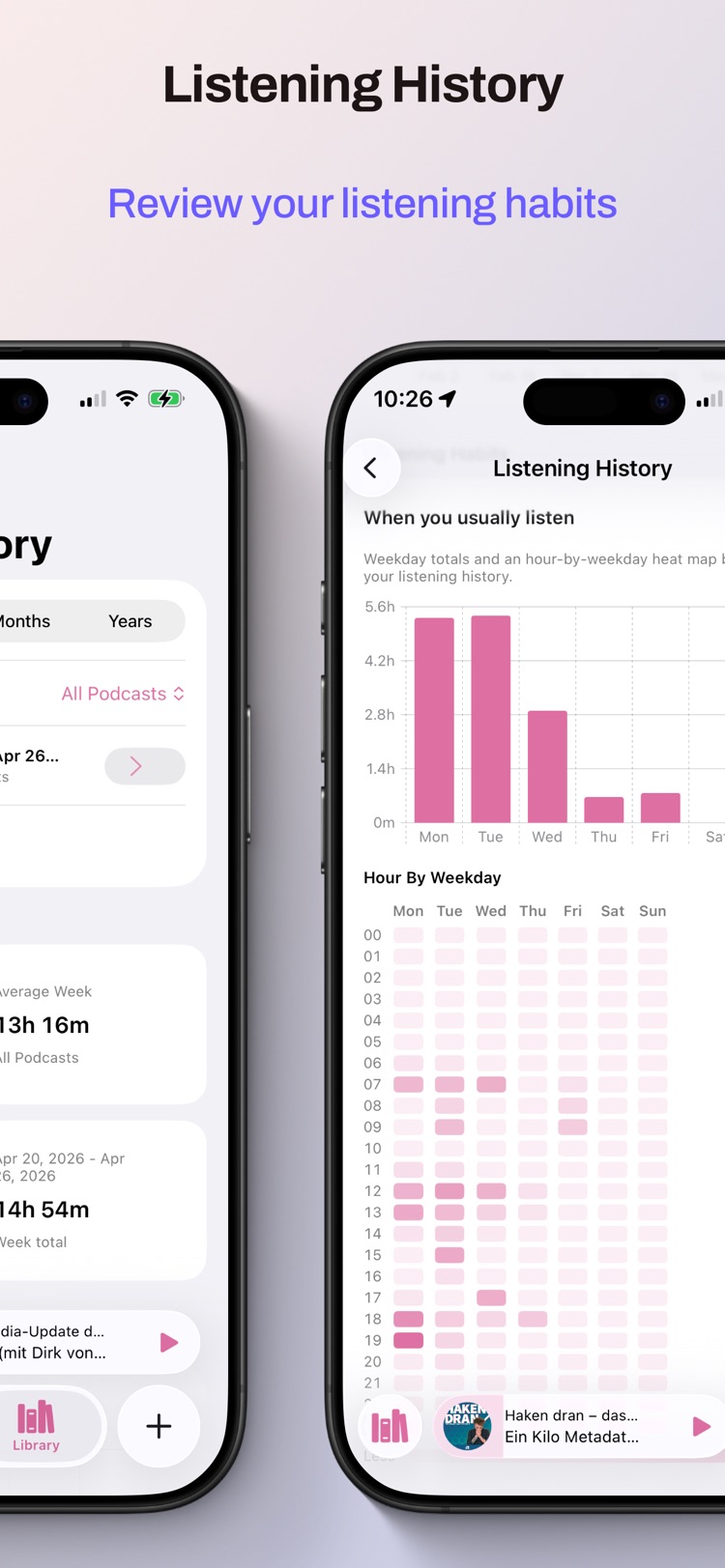
Up Next history
Up Next CarPlay
Game Collector icon
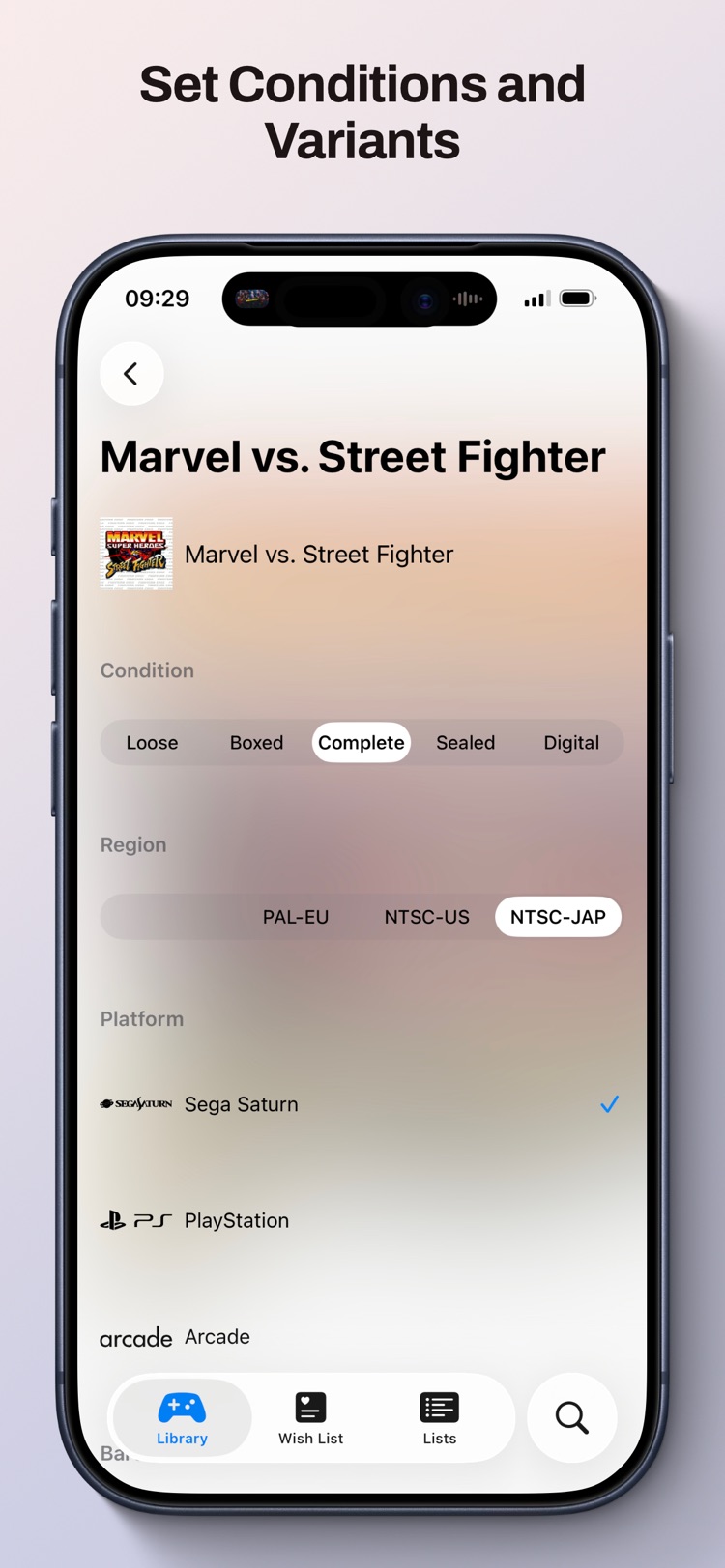
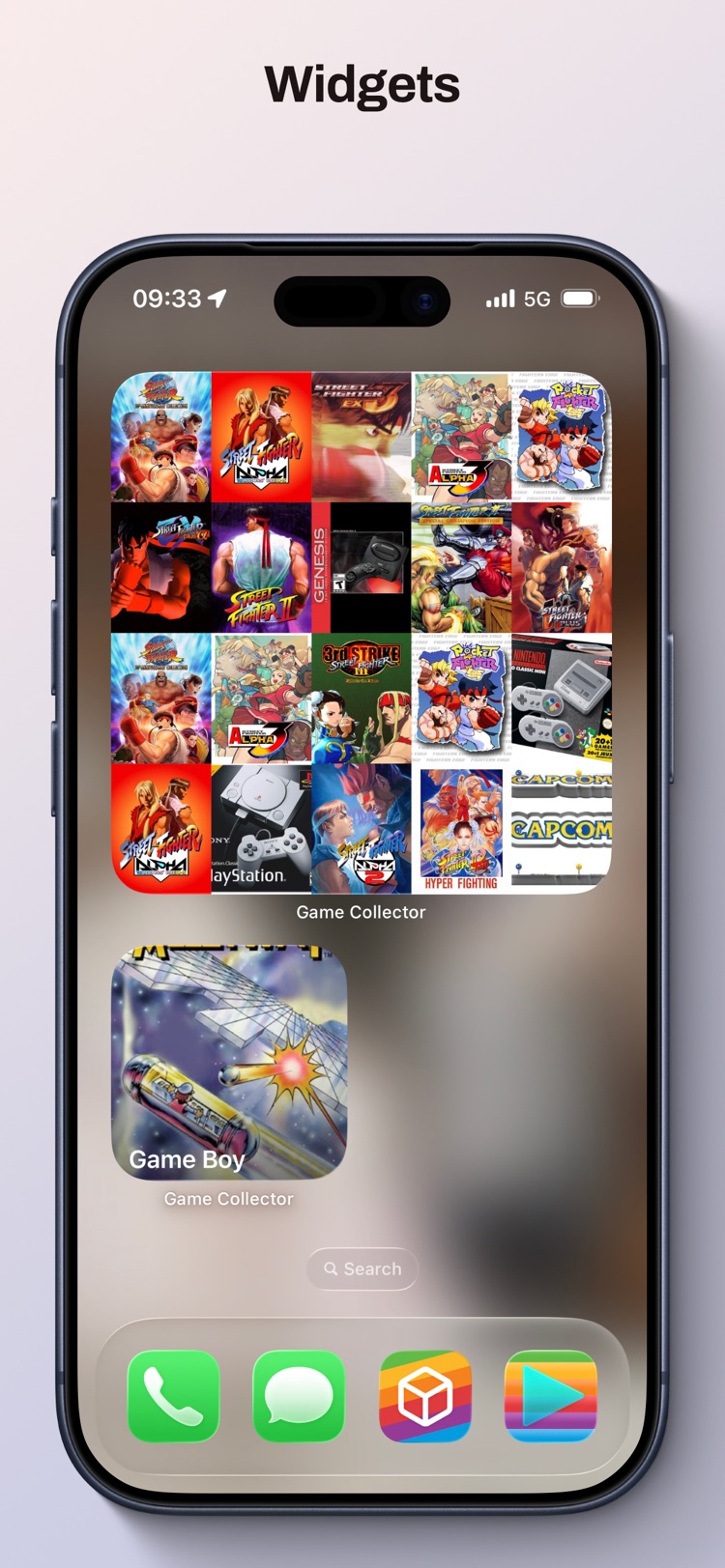
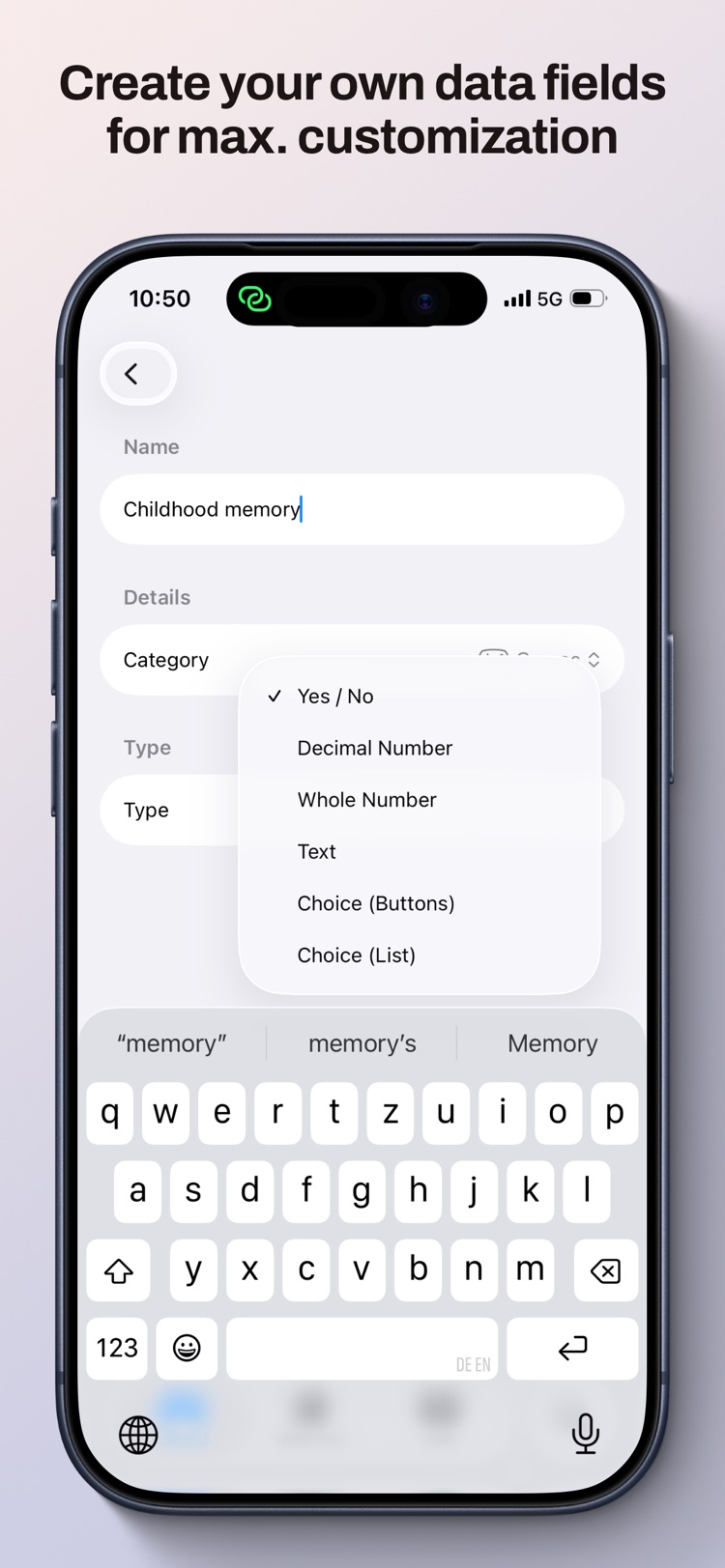
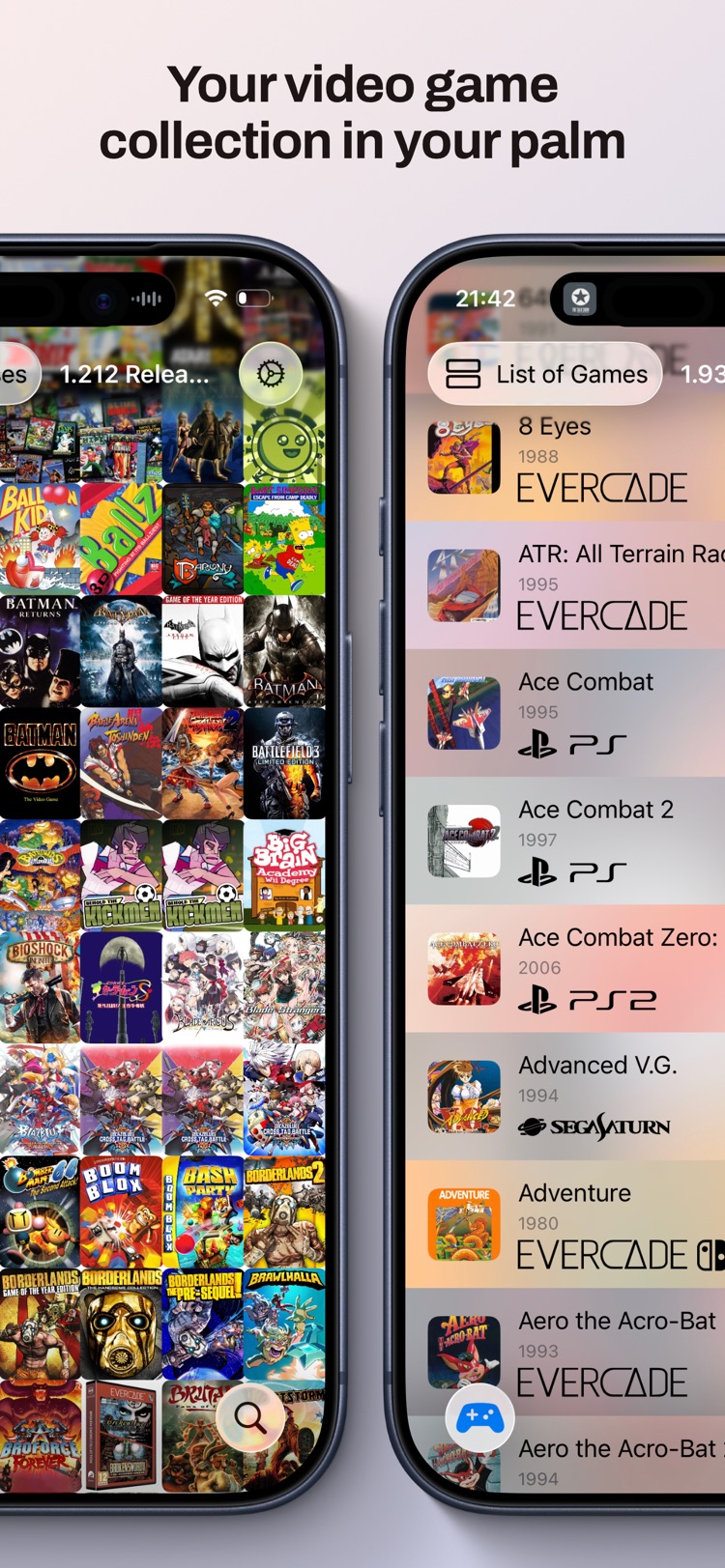
Game Collector Productivity · iPhone & iPad · Free

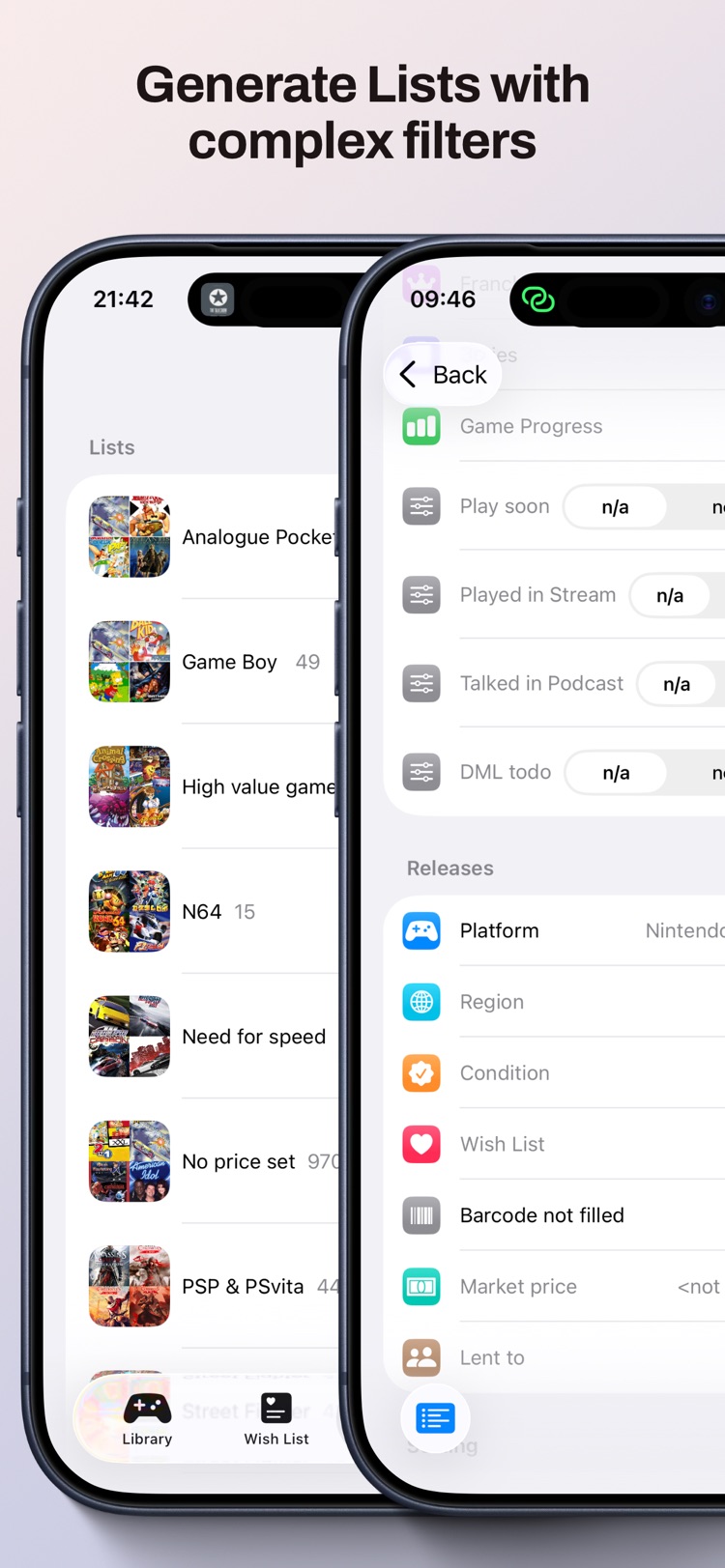
Catalog your video game collection and carry it across all your Apple devices.

  • Manage every copy you own and mark games as played or completed.
  • Discover the franchise — find related titles and see how they're rated.
  • iCloud sync keeps your collection in step across iPhone, iPad, and Mac.
  • Fast entry powered by an open video-game & barcode database.
Game Collector library
Game Collector detail
Game Collector franchise
Game Collector stats
Game Collector list
Moves icon
Moves Daily Log · iPhone · Free

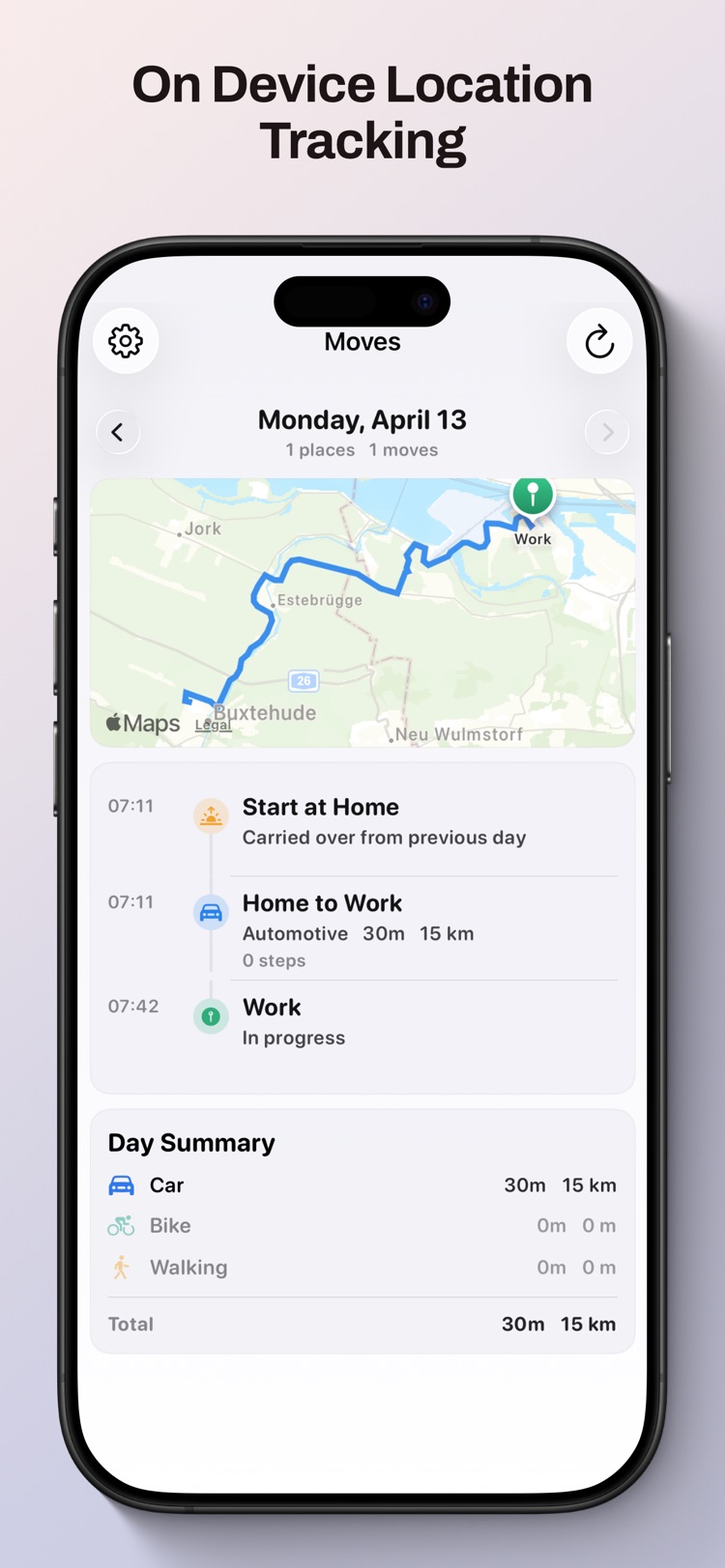
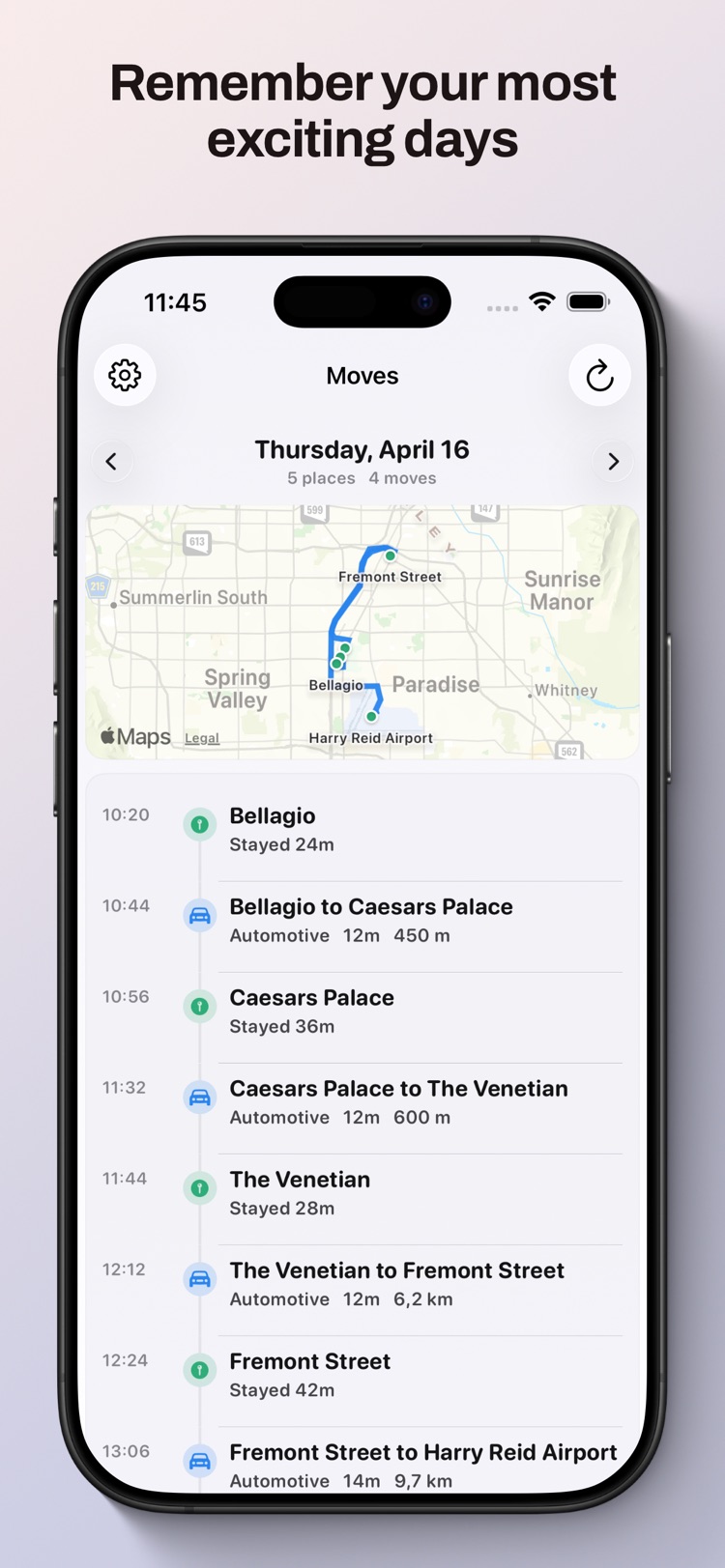
Your day as a clear timeline of places and movement — and none of it ever leaves your phone.

  • Privacy is the feature. Visits, routes, and transport detection are all processed on-device.
  • See your day as places plus movement segments, with routes drawn on a map.
  • Label places to make your history your own.
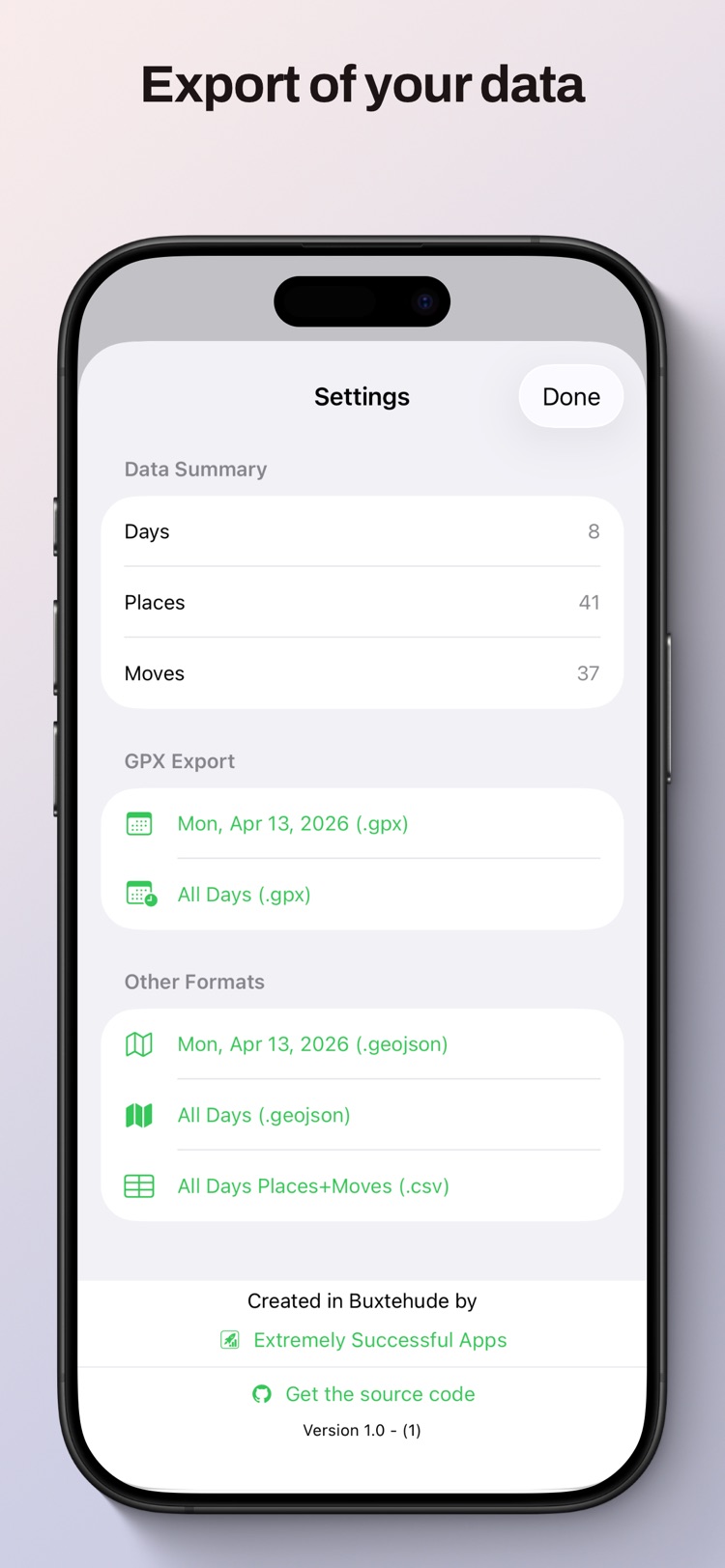
  • Own your data — export to GPX, GeoJSON, or CSV whenever you like. No account, no uploads.
Moves timeline
Moves map
Moves places
TagFrame icon
TagFrame MP3 Metadata · iPhone & Mac · Free

Inspect, fix, and organize MP3 metadata without guesswork.

  • See the whole tag clearly in summary, raw-frame, and hex views, from album fields to byte-level detail.
  • Edit chapters and artwork with waveform-based chapter markers, embedded images, lyrics, comments, and podcast metadata.
  • Batch-clean whole folders with rename rules, filename parsing, CSV import/export, playlist support, and regex-powered find/replace.
  • Built for real libraries — look up metadata with MusicBrainz, copy tags between files, and automate repetitive work with Shortcuts.
Summary Raw Hex
TitleEpisode 148
ArtistField Notes FM
Chapters08 markers
ArtworkEmbedded
MusicBrainz Chapters Artwork CSV M3U Regex
Batch edit folders

Clean whole album or podcast drops in one pass.

Waveform chapter view

Jump through timestamps instead of guessing blind.

Shortcuts support

Automate repeated tagging steps on your own workflow.

Not just an app — a platform
ToolTogether icon
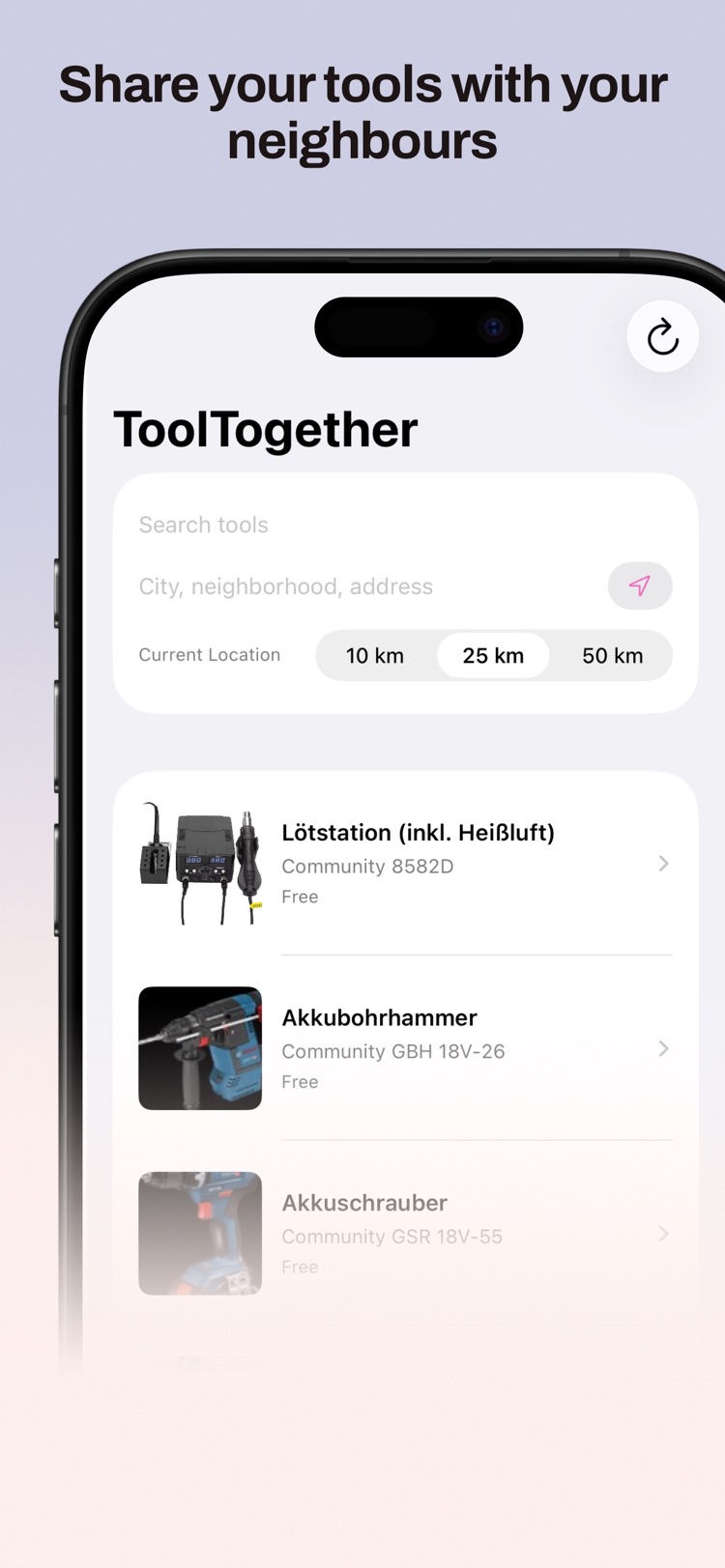
ToolTogether Neighborhood Sharing · Web & iPhone

Borrow and lend tools with the neighbours around you — instead of everyone buying their own.

  • Find tools nearby. Browse what neighbours have listed, sorted by how close they are to you.
  • List what you have. Share the drill, sander, or pressure washer that sits unused in your cupboard.
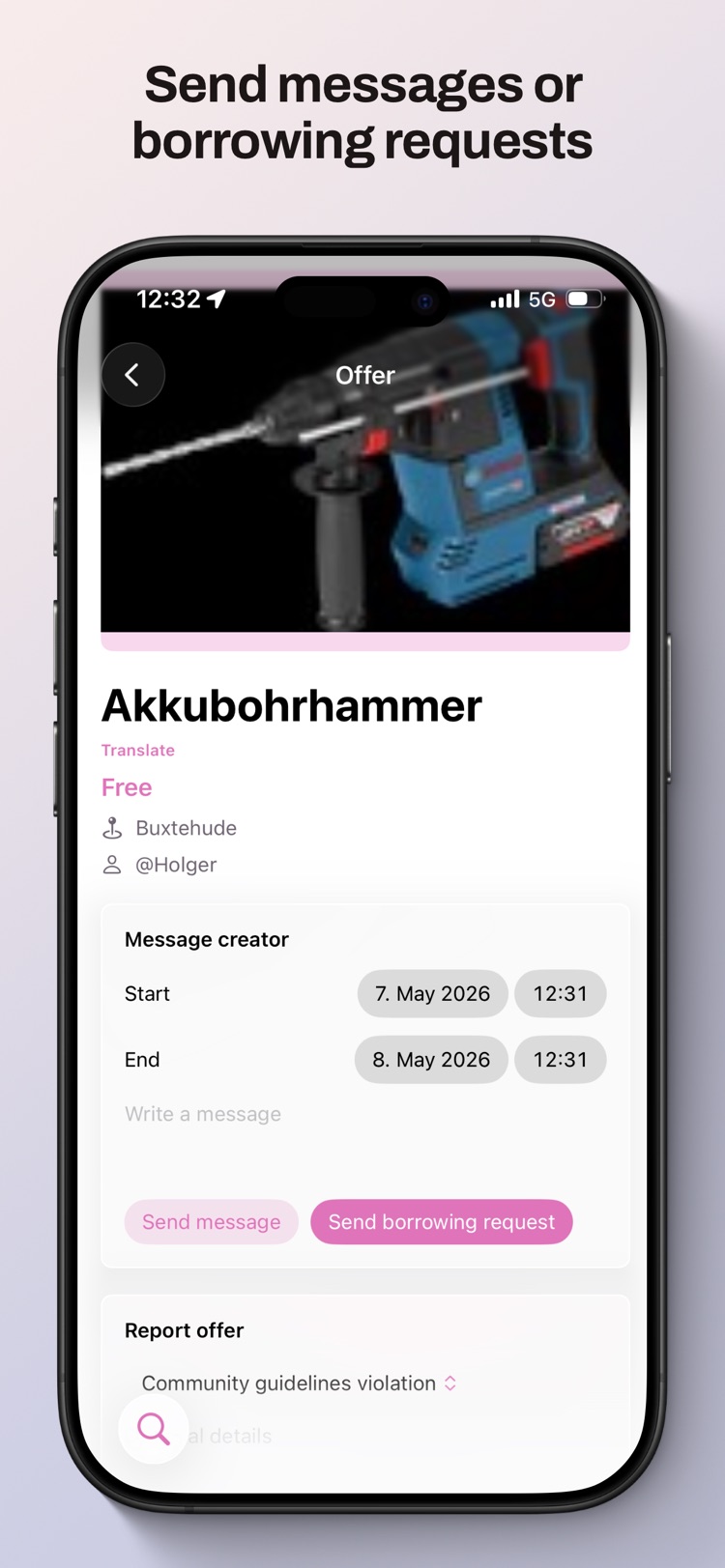
  • Message & arrange safely — agree a time, collect it, return it as you found it.
  • No subscriptions, no service fees, no middlemen. It's a community, not a shop.
  • On the web in 10 languages, plus a native iPhone app.
ToolTogether nearby tools
ToolTogether listing
1

Create a free account

Sign up with your name and street — your address is never shared publicly.

2

List or browse tools

Add the tools you're happy to share, or see what your neighbours have posted.

3

Message & arrange

Send a short message, agree a time to collect, and you're done. Neighbourly sorted.

For Developers

Tools I built to scratch my own itch

Native macOS utilities for the things I do all day — Git, Swift, REST APIs, databases, app icons, and custom SF Symbols.

SymbolBuilder icon
SymbolBuilder SF Symbols · macOS · Free

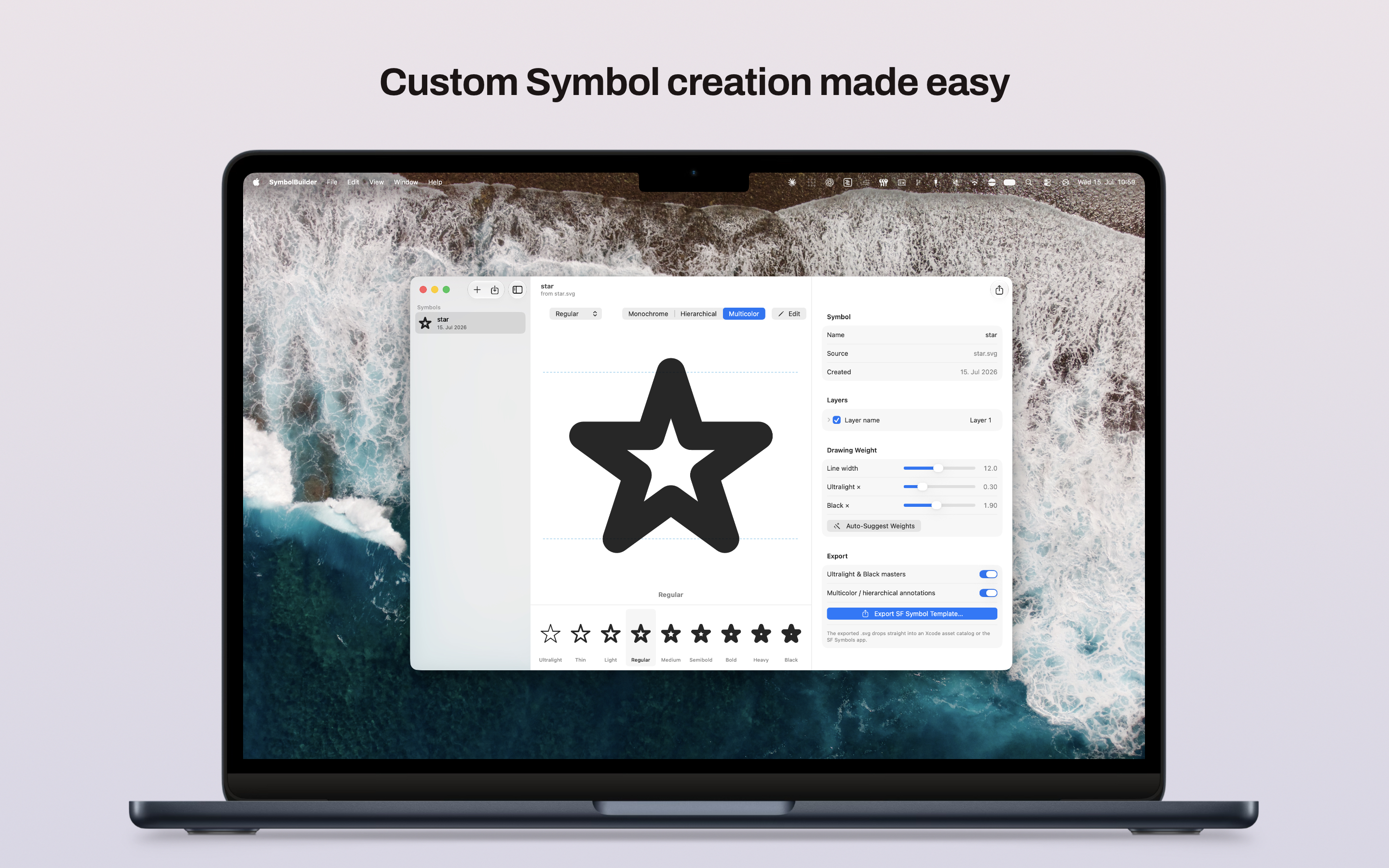
Import any SVG and export a custom SF Symbol that drops straight into Xcode.

  • Import any SVG — plain vector art, Illustrator/Inkscape exports, or existing SF Symbol templates.
  • Generate all nine weights from Ultralight to Black, with Auto-Suggest based on Apple's own proportions.
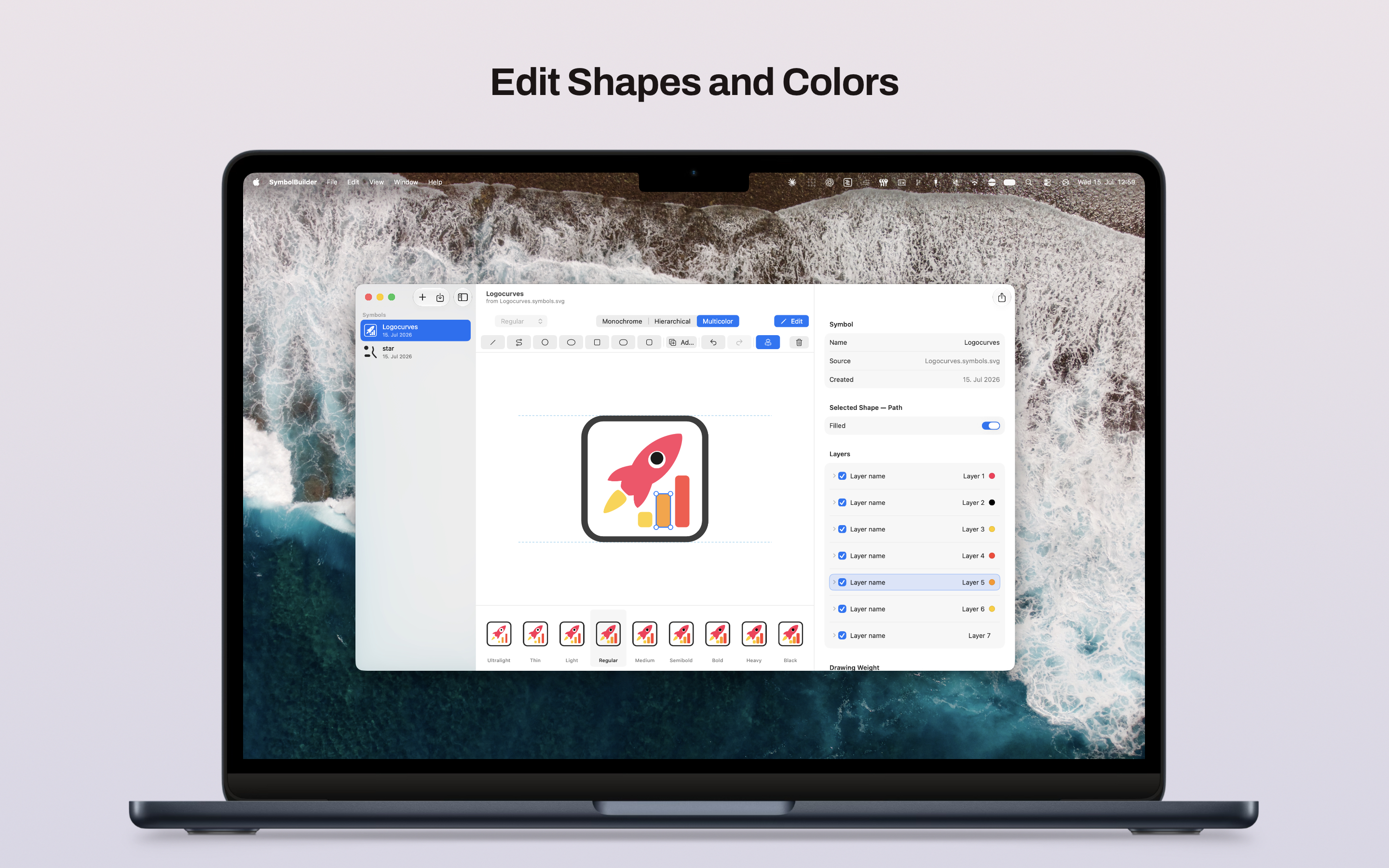
  • Build richer symbols with multicolor layers, hierarchical levels, and Motion Groups for animation.
  • Edit directly inside the app with shape tools, alignment guides, and a live SwiftUI preview.
  • Export a template that just works in Xcode asset catalogs or the SF Symbols app.
SymbolBuilder editor
SymbolBuilder weights
Branches icon
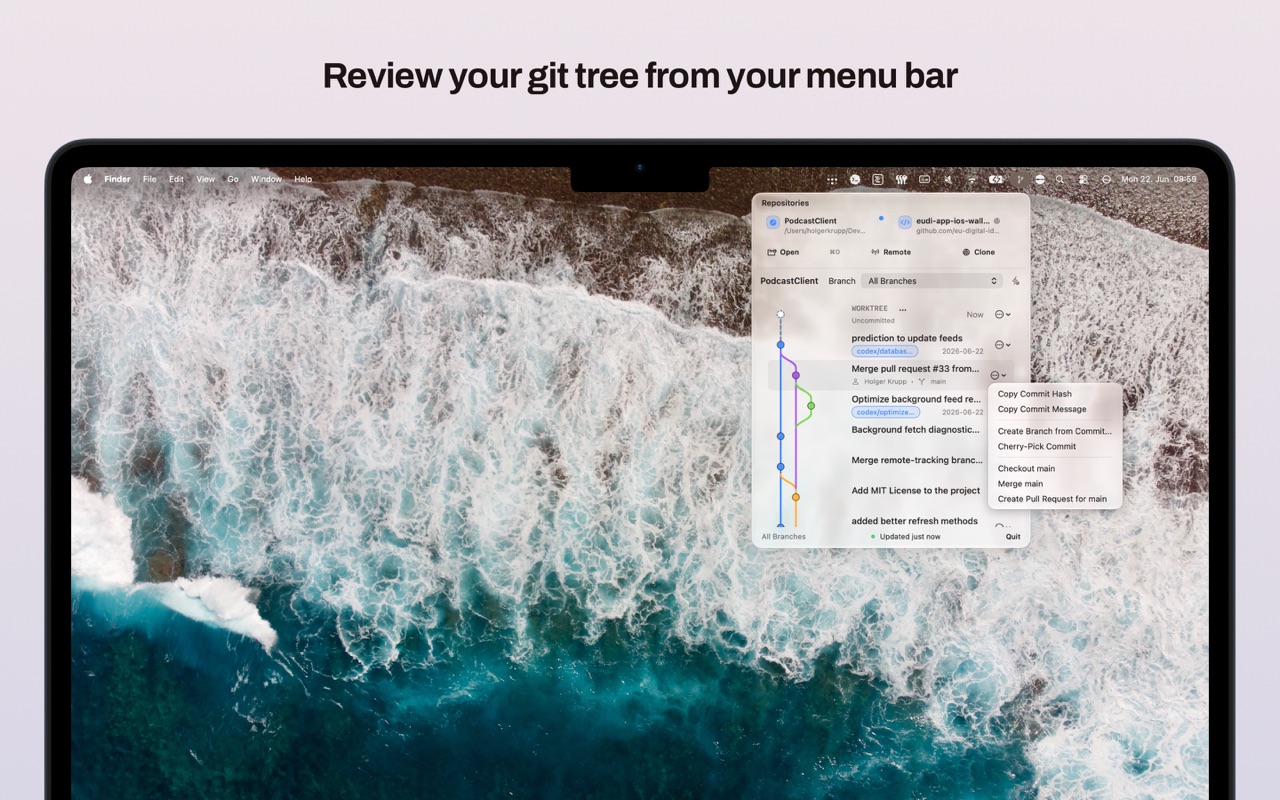
Branches Git in the Menu Bar · macOS

Your Git history, always one glance away in the menu bar.

  • Visual Git graph of branches, merges, and commits in a clear timeline.
  • Track multiple repositories and switch between active projects in one click.
  • Inspect commit details like messages, authors, dates, and refs directly from the graph.
  • Compact and fast, designed to live quietly in your menu bar instead of replacing your main Git client.
Branches Git graph
SourceCleaner icon
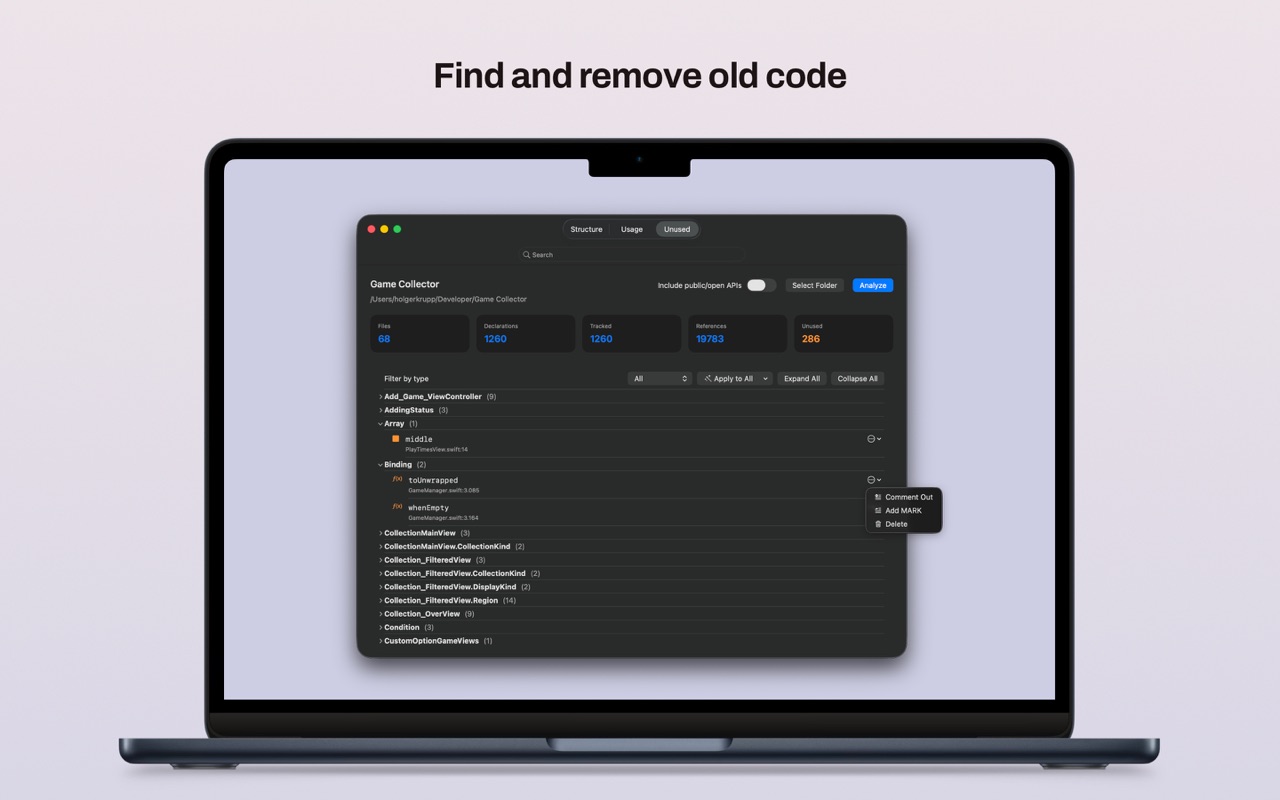
SourceCleaner Developer Tools · macOS

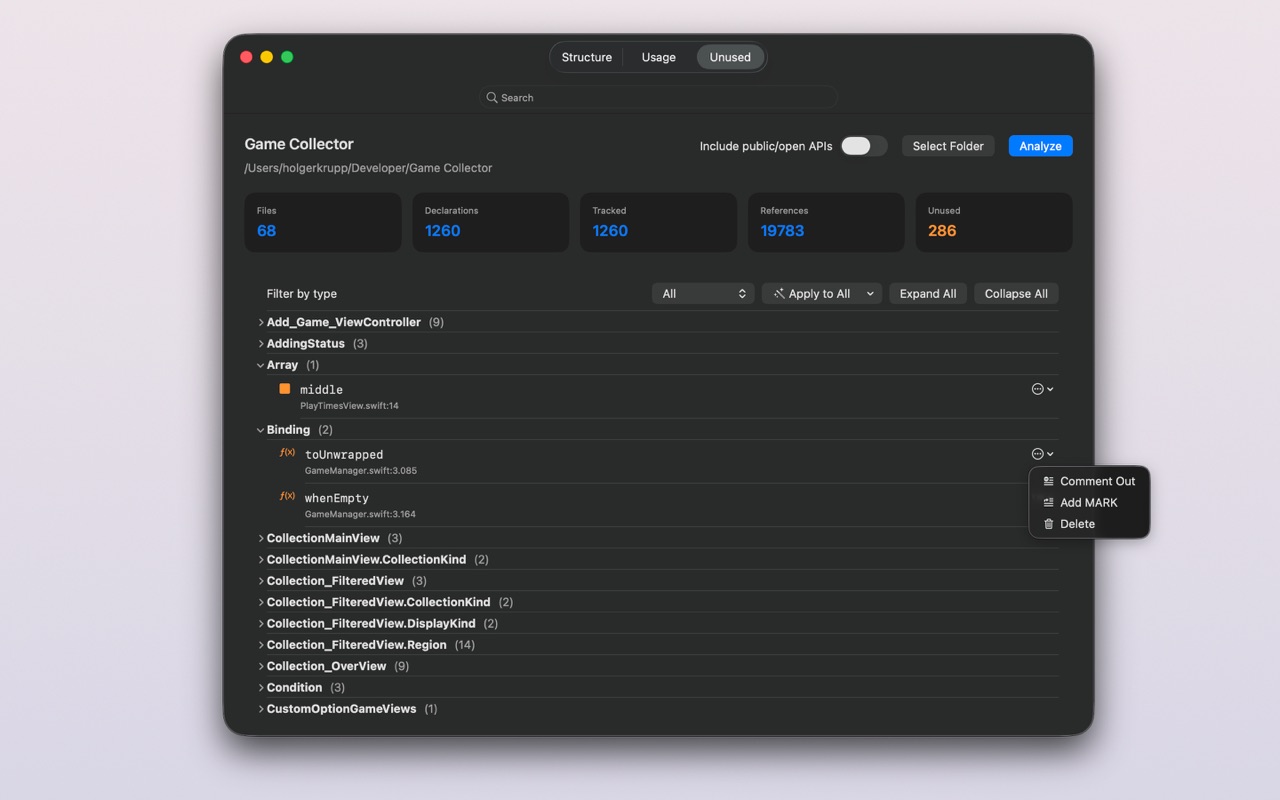
Find and remove unused Swift code — without losing control of your source.

  • Whole-project scan builds a declaration/reference map and flags likely-unused symbols and files.
  • Swift-aware — understands project membership, storyboard/xib custom-class references, and Swift packages.
  • Review before you cut in an integrated editor, then clean up selectively or in bulk.
  • Reduce false positives with safety rules for runtime-driven code and files that are on disk but not in the project.
SourceCleaner scan
SourceCleaner editor
StateTransfer icon
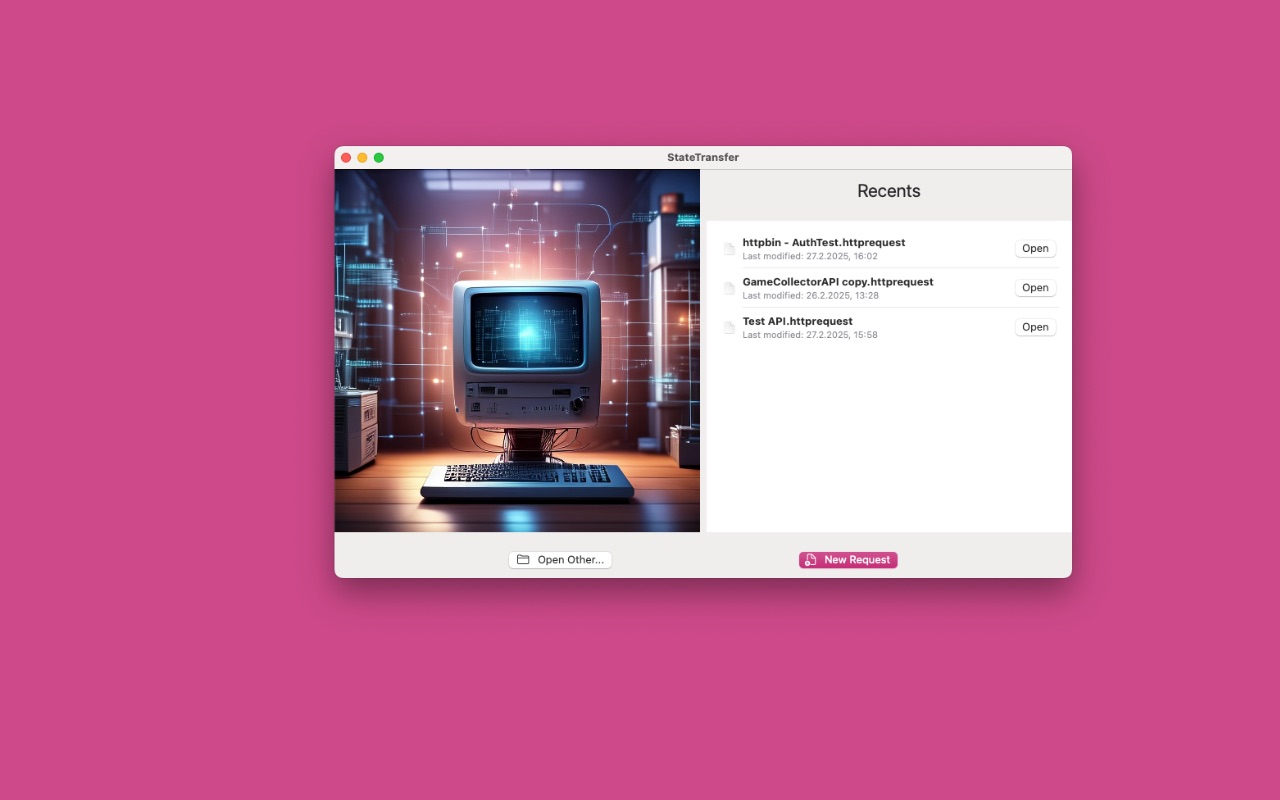
StateTransfer REST Client · macOS

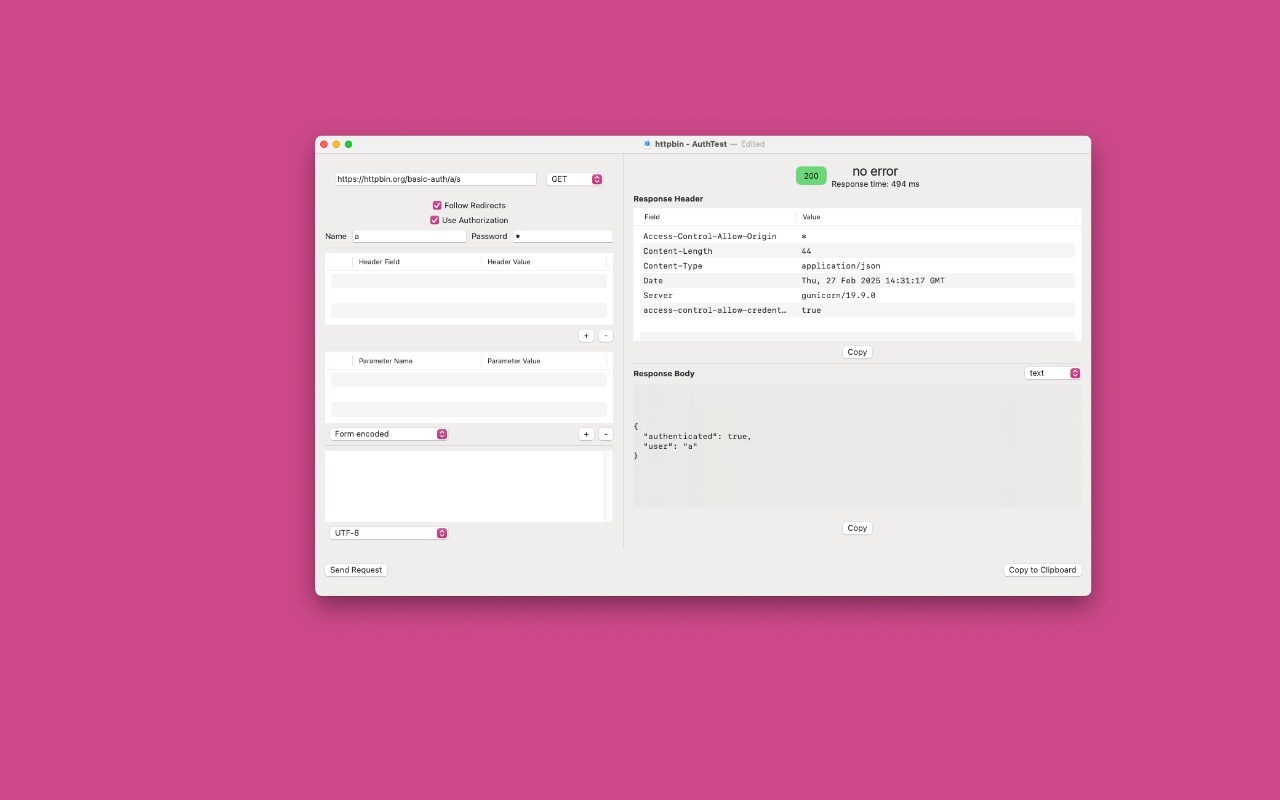
A simple, native REST client for testing your APIs.

  • Define a request — endpoint, method, headers, parameters, and body — and send it.
  • Authentication when you need it, with credentials stored securely in the Keychain.
  • Clean & focused, made for quickly checking that an endpoint does what you expect.
StateTransfer request
StateTransfer response

Recent Releases & Utilities

Fresh on Mac, plus a few useful little tools

Newer Mac releases sit alongside the small utilities that quietly keep doing one job well.


Open Source

Small Swift packages to build on

Reusable Swift Package Manager libraries I've pulled out of my apps — free to drop into your own projects. Each app's full source is linked from its own section above.

See all repositories on GitHub ↗

Open Data · Powers Game Collector

Video Game UPC / EAN Database & API

The barcode database behind Game Collector — it turns a game's UPC/EAN barcode into its title, platform, and release region. There's a free public endpoint to test against, and a full API for serious integrations.

Look up a game by barcode

Send the EAN/UPC as the query string. The API replies with JSON — an array of matches, since one barcode can map to more than one release. An empty array [] means no match was found.

  • name — the game's title
  • platform — console or platform
  • EAN — the scanned barcode (EAN/UPC)
  • region / regionInfo — release region and country code
  • source / sourceID — where the record originates (e.g. IGDB)

The public endpoint is meant for testing. Building it into your app for real? Get an API key for the full database — get in touch →

Try it live — enter a game's barcode
No barcode handy? Try (Street Fighter 6).
GET Public test endpoint
https://levelcomplete.de/api/public/search.php?5055060953433
Response · application/json
[
  {
    "name": "Street Fighter 6",
    "platform": "Sony PlayStation 5",
    "EAN": 5055060953433,
    "region": 1,
    "regionInfo": "at",
    "source": "IGDB",
    "sourceID": "191692"
  }
]
Try the example request ↗

About

Hi, I'm Holger.

I've been building apps since 2009, with my first App Store release in 2010. By day I'm an aerospace engineer; in my spare time I build small, focused apps for iPhone, iPad, and Mac. I care about software that stays local-first, respects your privacy, and doesn't lock you in — so most of my apps are free, and many are fully open source.

🔒 Privacy-first 📱 iPhone · iPad · Mac 🧩 Open source 🚫 No tracking 💛 Made independently